Drupal Multi-Site Setup
Yannick Lyn Fatt axle_foley00 on drupal.org Who am I?
Where do I work? The University of the West Indies at Mona, Jamaica
What's a Multi-Site?
Using one install (or codebase) of Drupal but having more than one site use that same codebase.
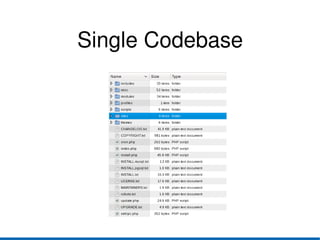
Single Codebase
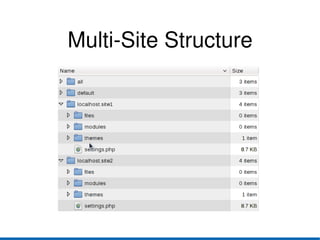
Multi-Site Structure
What's the alternative?
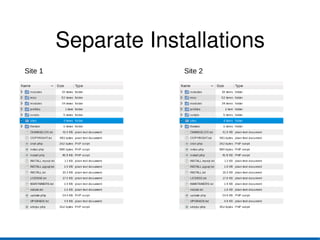
Running separate installations of Drupal for each site.
Separate Installations Site 1 Site 2
Advantages Shared codebase means all sites are using the same version.
One big upgrade of drupal core can be done as opposed to updating the core code for separate installations each of which could be a different version of Drupal.
Modules/Themes can be shared across sites or they can have their own modules/themes.
Disadvantages Updating Drupal core means all sites need to be put offline for the update.
Updating core and contrib modules, means running update.php for each site in your Multi-Site setup. (though you might be able to use Aegir/Drush to run update.php for all sites in one go)
How does Drupal determine which site to load?
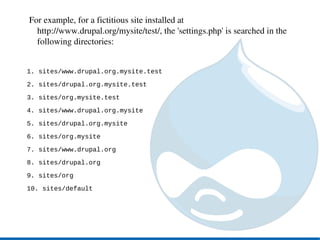
For example, for a fictitious site installed at http://www.drupal.org/mysite/test/, the 'settings.php' is searched in the following directories: 1. sites/www.drupal.org.mysite.test 2. sites/drupal.org.mysite.test 3. sites/org.mysite.test 4. sites/www.drupal.org.mysite 5. sites/drupal.org.mysite 6. sites/org.mysite 7. sites/www.drupal.org 8. sites/drupal.org 9. sites/org 10. sites/default
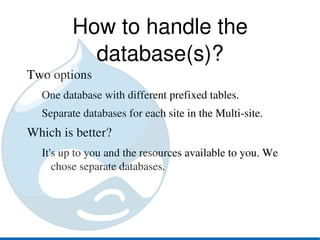
How to handle the database(s)? Two options One database with different prefixed tables.
Separate databases for each site in the Multi-site. Which is better? It's up to you and the resources available to you. We chose separate databases.
Quick Demo
Helpful Tips Write an Installation Profile(s) HOWTO: Write an Installation Profile - http://drupal.org/node/67921
Profile Generator - http://drupal.org/project/profile_generator

Drupal Multi-Site Setup